Pixel Controls Menu Kit: Key Rebinding, Settings, Sliders, Toggles, Tooltips (16px UI)
A downloadable asset pack
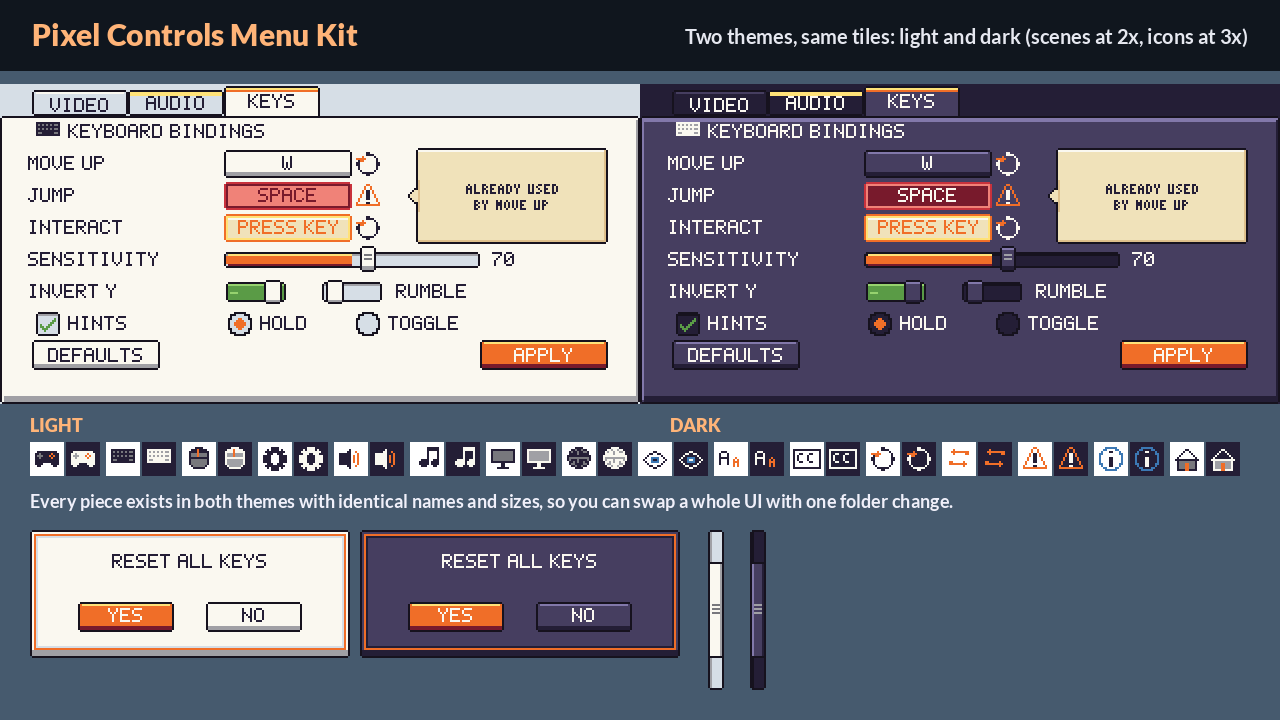
Our team drew a pixel art kit for the screen almost every game needs and few asset packs cover: a key-rebinding and settings menu. Everything sits on a 16 px grid (panels, buttons, tabs, fields and bars are 16 px-tall slices that stretch to any width; panels, dialogs, insets and tooltips are 9-slice), comes in a light and a dark theme with the same file names, and uses our shared 32-colour palette, so it matches our Pixel Input Prompts. It is generic, with no console or brand logos.
Includes
- 243 pieces per theme (486 transparent PNG files for the two themes), one piece per file
- Panels (30): 9-slice panel, inset and dialog frames, 3-slice title bar
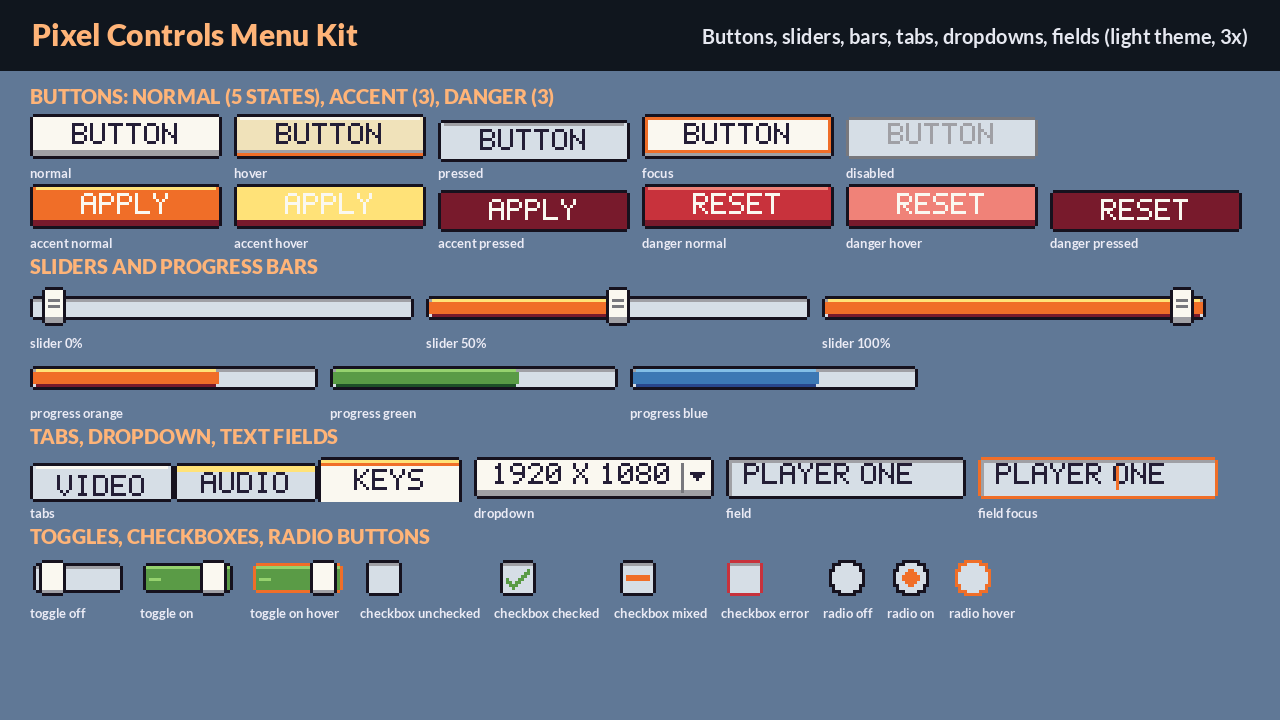
- Buttons (33 slices): normal (up, hover, pressed, focus, disabled), accent and danger (up, hover, pressed)
- Sliders and bars (17): track, orange / green / blue fills, slider knob (normal, hover, pressed, disabled), tick
- Toggles, checkboxes and radios (18): on / off switches, checkboxes (unchecked, checked, mixed, hover, error, disabled), radio buttons
- Tabs and dropdowns (21): tab (inactive, hover, active), dropdown (closed, open, disabled) and list items
- Text fields and scrollbars (22): field (normal, focus, error, disabled), caret, vertical scrollbar track and thumbs
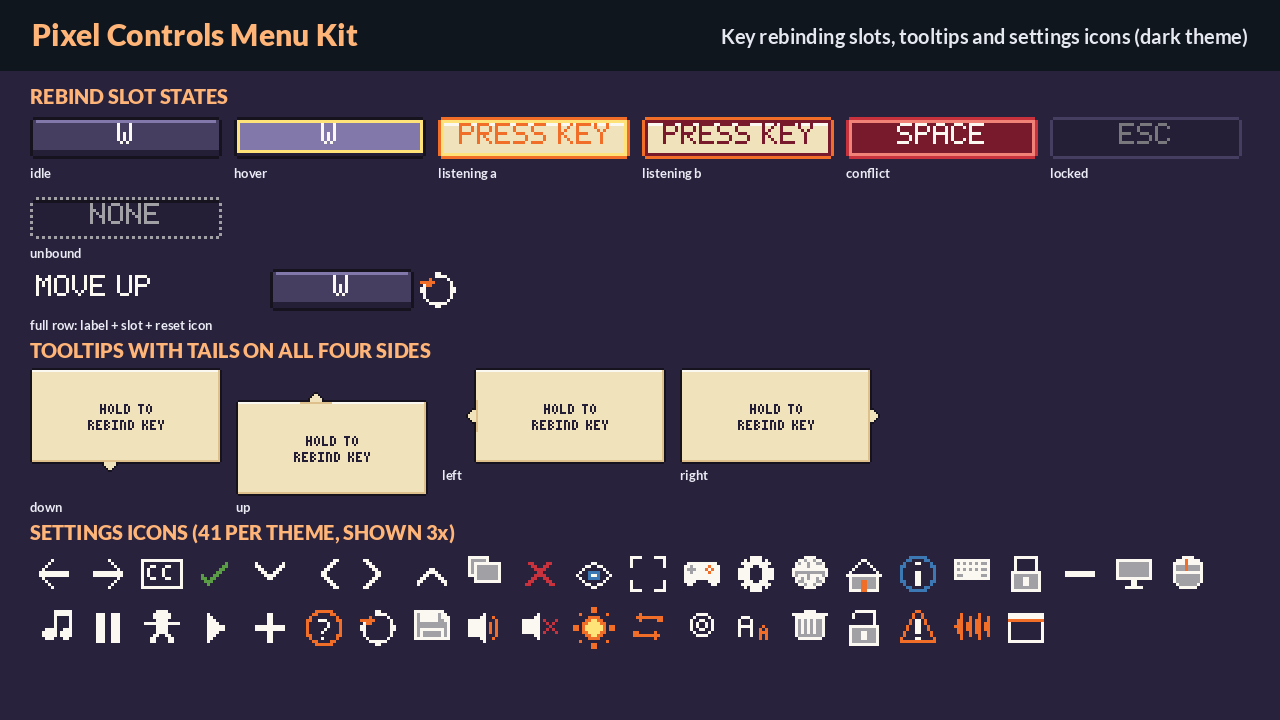
- Key-rebinding slots and rows (30): slot states idle, hover, listening (2 blink frames), conflict, locked and unbound, plus list row backgrounds (hover, selected, zebra)
- Tooltips (17): 9-slice box, notched edges and tails for all four sides
- 41 settings icons per theme, 16 px: audio, video, keyboard, mouse, gamepad, language, accessibility, reset, warning, arrows and more
- 14 sample keycaps per theme (W, A, S, D, E, Q, R, F, Esc, Tab, Shift, Ctrl, Enter, Space) taken from our Pixel Input Prompts so the mock scene looks right; the full key set is in Pixel Input Prompts
- 42 assembled examples per theme (84 PNG files): every button state, sliders at 0 / 50 / 100%, progress bars, tabs, dropdown, fields, every rebind slot state, a rebind row, tooltips on 4 sides, a confirm dialog, scrollbar, panel and inset, all pre-built from the pieces so you can see how they fit
- Packed sheets on a 16 px grid for each theme at 1x, 2x and 4x (6 PNG sheets) plus an atlas JSON for each theme
- Tiled tileset (.tsx) for each theme and a mock settings scene as a Tiled map (.tmx, 20 x 10 tiles, three tile layers plus a text-object layer for the labels), also rendered as PNG
- kit_index.txt and kit_index.json (every piece with theme, group and size), palette.png and palette.gpl
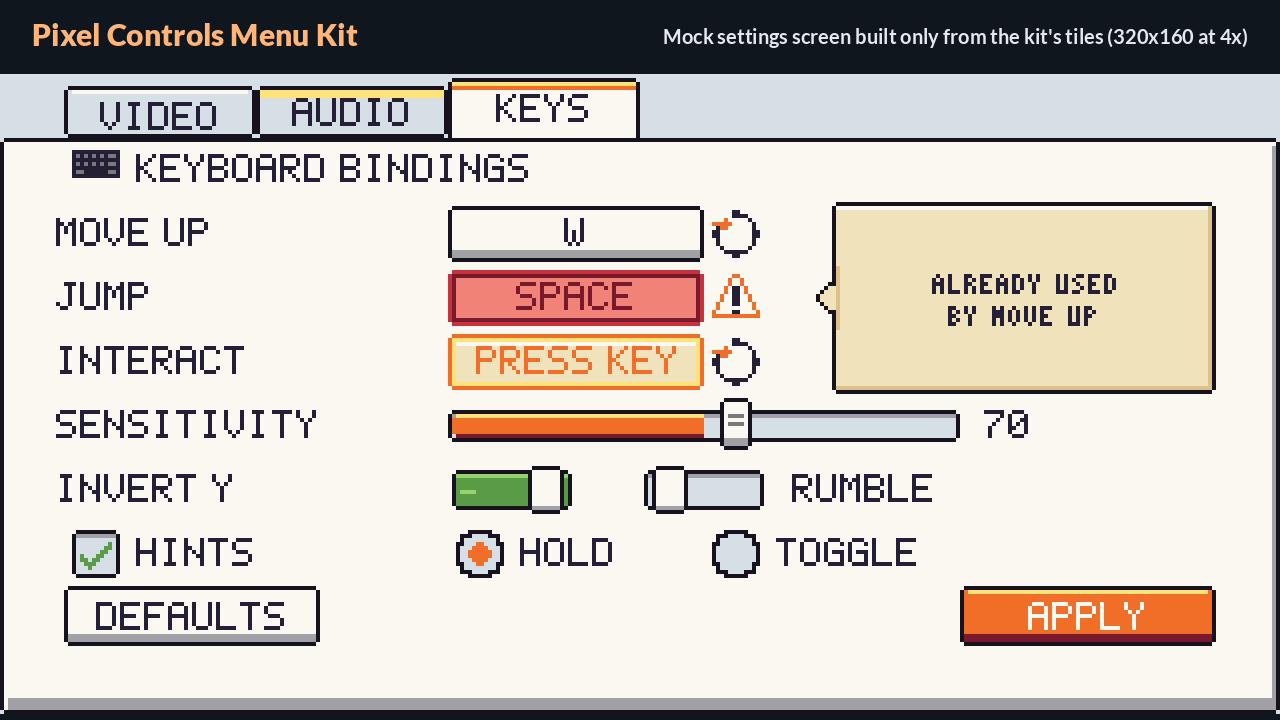
The mock settings scene is made only from the kit's pieces (plus text labels drawn in a pixel font) and shows a KEYS tab with rebind rows (idle, conflict with a tooltip, listening), a slider, toggles, a checkbox, radio buttons and buttons.
Great for settings and options menus, input / key-binding screens, accessibility and control-scheme options, game jams and any pixel art game on a 16 px grid. Pieces are plain PNGs, so they work in Godot, Unity, GameMaker, LOVE, Phaser, Tiled and anywhere else.
License: CC0 (commercial use OK, credit appreciated, not required). We kindly ask that you don't re-sell the raw files as your own asset pack.
All art is original and drawn in code by our team; the listing text was written with AI assistance.
Pairs with Pixel Input Prompts: https://kestrelwick.itch.io/pixel-input-prompts, Pixel Prompt Font: https://kestrelwick.itch.io/pixel-prompt-font and Pixel Menu & Button SFX: https://kestrelwick.itch.io/pixel-menu-button-sfx
Also from us: Godot 4 Input Prompt Swapper: https://kestrelwick.itch.io/godot-input-prompt-swapper
Also from us: Emberfolk Weather & Elemental FX: https://kestrelwick.itch.io/pixel-weather-elemental-fx
Purchase
In order to download this asset pack you must purchase it at or above the minimum price of $4.49 USD. You will get access to the following files:
Leave a comment
Log in with itch.io to leave a comment.